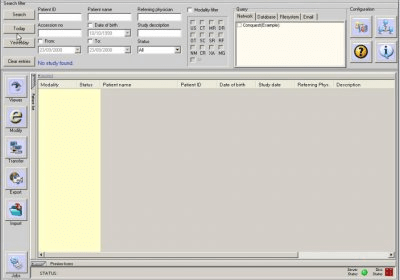
What is OpenDentalTrainer Fork (Student edition)?
OpenDentalTrainer Fork (Student edition) is a specialized dental practice management software designed specifically for students and educational institutions. This software is a customized version of the original OpenDentalTrainer, tailored to meet the unique needs of dental students and educators. With OpenDentalTrainer Fork (Student edition), students can learn and practice dental management skills in a simulated environment, while educators can easily create and manage virtual clinics for training purposes.
Main Features
The OpenDentalTrainer Fork (Student edition) offers a range of features that make it an ideal tool for dental education. Some of the key features include:
- Simulation-based learning: Students can practice dental management skills in a virtual environment, complete with simulated patients and scenarios.
- Customizable clinic workflows: Educators can create and manage virtual clinics, tailoring the experience to meet the specific needs of their students.
- Snapshot and restore points: Students can save their progress at specific points, allowing them to easily review and compare different scenarios.
- Retention policies and repositories: Educators can set up retention policies and repositories to manage student data and ensure compliance with regulatory requirements.
Installation Guide
System Requirements
Before installing OpenDentalTrainer Fork (Student edition), ensure that your system meets the following requirements:
- Operating System: Windows 10 or macOS High Sierra (or later)
- Processor: Intel Core i3 or AMD equivalent
- Memory: 4 GB RAM (8 GB recommended)
- Storage: 2 GB available space
Download and Installation
To download and install OpenDentalTrainer Fork (Student edition), follow these steps:
- Visit the Softprodents website and navigate to the OpenDentalTrainer Fork (Student edition) download page.
- Click the